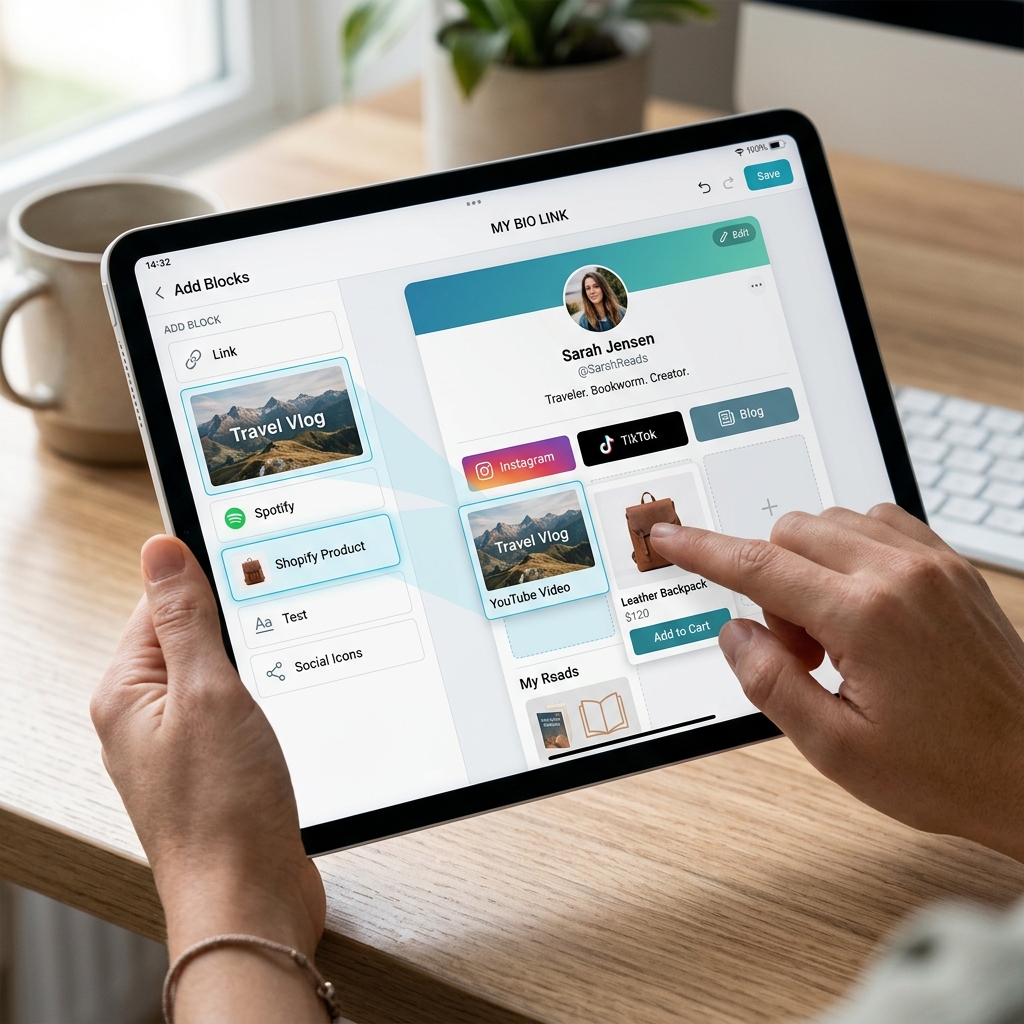
Learn how to enrich your Link in Bio page by embedding YouTube videos, products, social widgets, and direct contact buttons using JKZ Network.
A Link in Bio page is much more than a simple list of links. When built correctly, it serves as a dynamic, interactive landing page that allows your audience to engage with your brand in multiple ways. With modern tools, you can embed videos, sell digital products, collect emails, and provide instant messaging options directly from your biolink page. Let's explore how to customize your bio link page to boost conversions and user engagement.
Why Static Text Links Are No Longer Enough
Early iterations of biolink pages were simple text lists. While effective at the time, modern audiences expect a rich, visual experience. Simply offering a text button like "Watch my new video" yields much lower click rates than embedding the video thumbnail directly on the page. By incorporating multimedia and interactive blocks, you capture and hold attention, keeping users engaged with your content longer.
How to Enhance Your Bio Page Using JKZ Network
JKZ Network offers an array of content blocks that you can add to your Link in Bio page. Here is a breakdown of the key elements you should incorporate:
1. Embed YouTube, TikTok, and Spotify Content
Instead of forcing users to leave your bio page and open a different app, you can embed media directly. In your JKZ Network editor, click Add Block, choose the media option, and paste the URL of your YouTube video, TikTok post, or Spotify playlist. The content will render as a responsive player, allowing visitors to view or listen directly on your page.
2. Add Digital Products and Call-to-Actions
If you sell e-books, templates, or physical products, you can link directly to your checkout. Use eye-catching button animations, add custom icons, or use banner cards to highlight your special offers. You can even embed HTML forms or checkout buttons from platforms like Stripe or Gumroad to enable one-click purchases.
3. Display Clean Social Links and Icons
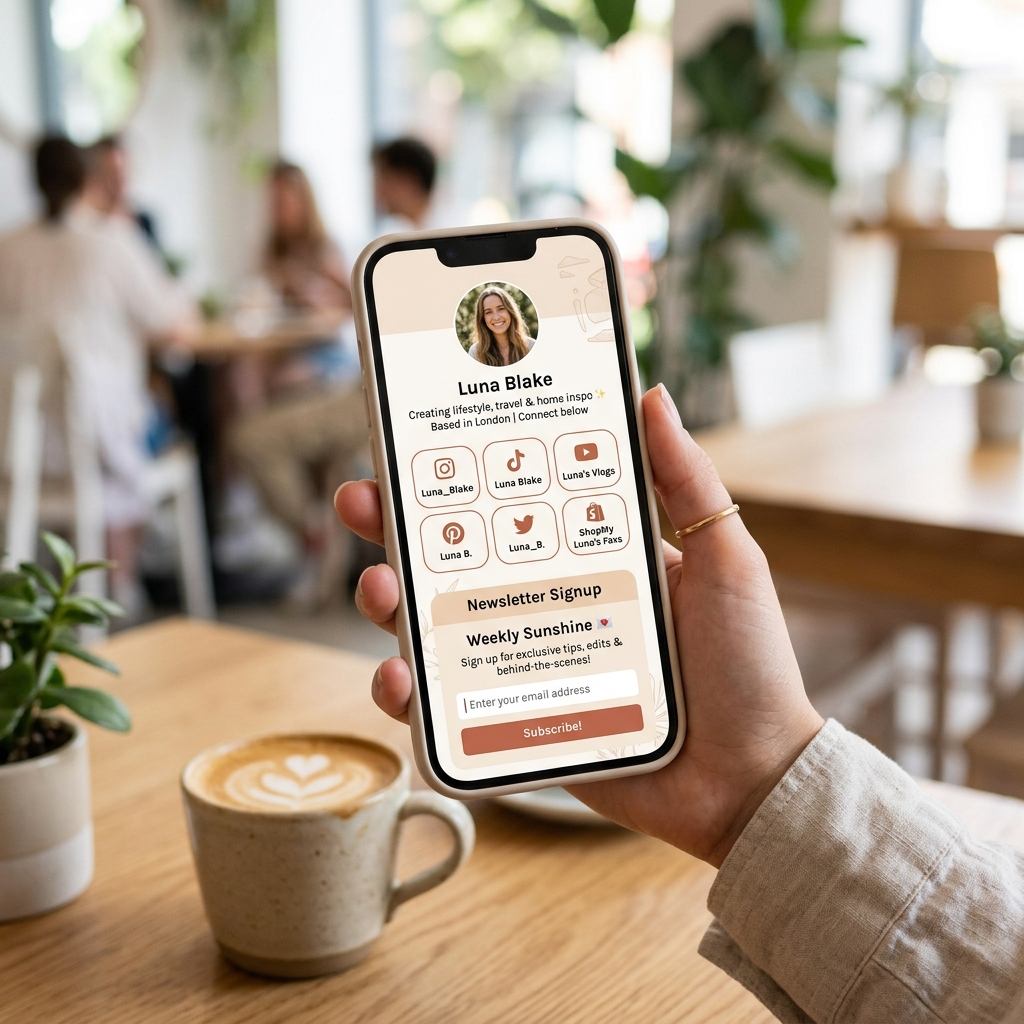
Do not waste valuable button space on social profiles. Instead, use JKZ Network's social icons block. This adds clean, recognizable icons for Instagram, YouTube, LinkedIn, Twitter/X, and WhatsApp at the top or bottom of your page, saving button space for your primary business call-to-actions.
4. Incorporate Direct Contact and Message Buttons
Make it easy for clients to get in touch. You can add contact buttons that open email clients (mailto:), trigger phone calls (tel:), or launch direct chat windows in WhatsApp or FB Messenger. This reduces friction for prospective clients who want to book your services.
Design Tips for a High-Converting Biolink Layout
Keep these design guidelines in mind to keep your page balanced and professional:
- Use Card Blocks for Emphasis: Use styled cards with image thumbnails instead of text-only buttons for your top 2 or 3 priority resources.
- Maintain Contrast: Ensure your text color stands out clearly against the background. Mismatched or low-contrast colors look amateurish and hurt readability.
- Group Related Content: Keep similar links together. For instance, place your social media contact icons at the bottom, and your product and booking links at the top.
Common Customization Mistakes to Avoid
Avoid these common pitfalls when customizing your page:
- Mismatched Themes: Using multiple fonts, colors, and button styles on a single page looks chaotic. Stick to a unified design system.
- Broken Embedded Links: Always test your video and audio embeds to ensure they play correctly. Broken embeds look unprofessional and frustrate users.
- Neglecting Analytics: Check your dashboard to see which custom blocks receive the most clicks, and prioritize those formats in your future campaigns.
Conclusion and Next Steps
By adding products, video embeds, social icons, and contact buttons to your Link in Bio page, you turn a simple directory into a powerful, interactive landing page. This keeps your audience engaged, builds brand trust, and increases your conversion rates.
Ready to customize your biolink? Sign up for JKZ Network and build your interactive page today. For more ideas on how to grow your business, read our guide on Digital Marketing Tools Every Creator Needs.