Learn how to analyze your link click logs to optimize ad targeting, refine email schedules, and boost landing page conversion rates.
Collecting data is only the first step in digital marketing. The real value comes when you analyze that data and use it to improve your campaigns. Link click logs contain a wealth of information about user behavior. Let's explore how to analyze your link data to optimize ad targeting, refine email schedules, and boost conversion rates.
1. Optimize Paid Ad Targeting
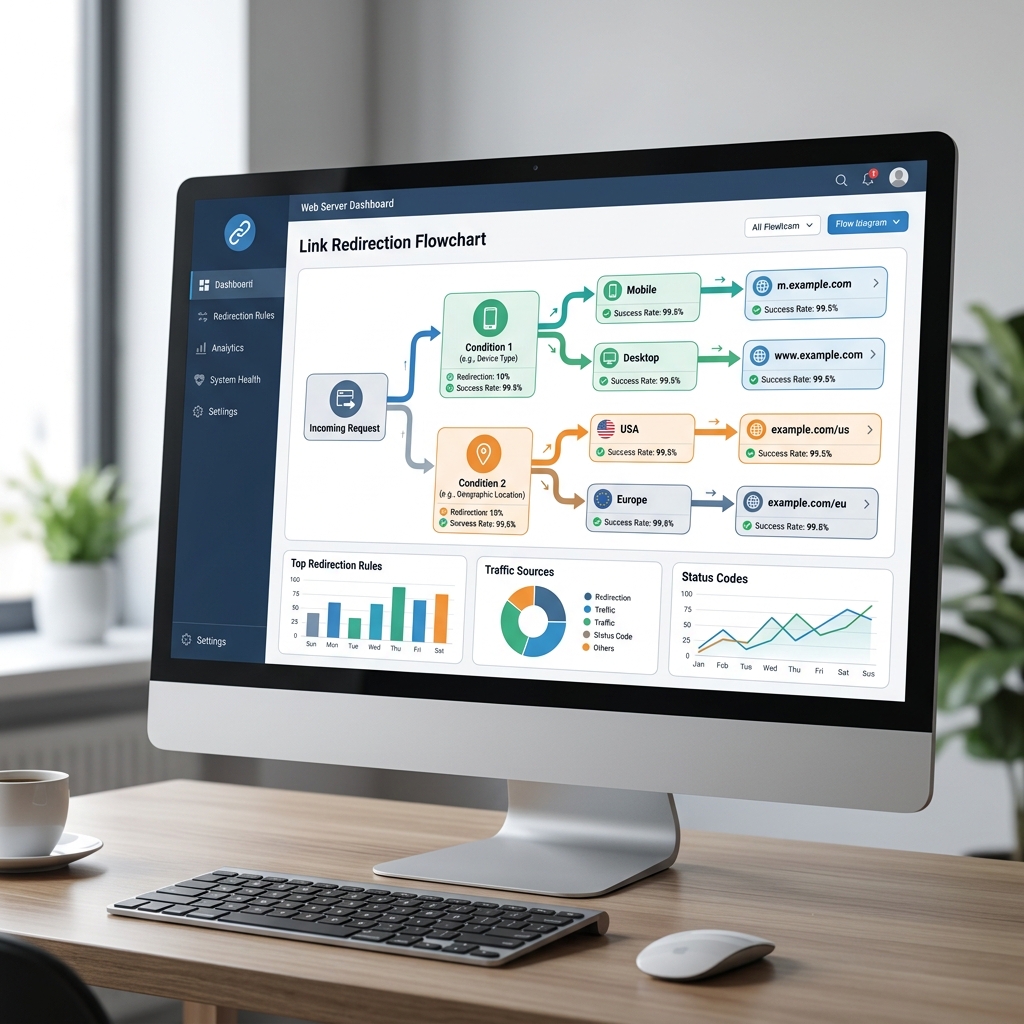
Review the geographic and device data in your link analytics dashboard. If you find that the majority of your clicks are coming from mobile devices in specific cities, adjust your paid ad targeting to focus on those locations and devices to maximize your budget efficiency.
2. Refine Your Email Schedules
Analyze the timestamps of your link clicks. If you notice that click rates peak at specific times of day, schedule your future newsletters to send during those peak periods to improve open and click-through rates.
3. Test and Improve Call-to-Actions (CTAs)
Use unique short links for different button designs or copywriting styles in your email campaigns or landing pages. Comparing click counts reveals which CTA design or copy is more effective at driving engagement.
4. Audit and Update Redirection Paths
Use dynamic short links to maintain control over your shared links. If you notice that a specific product page is underperforming, update the redirect in your dashboard to send traffic to a new, optimized landing page without changing the link you shared.
Conclusion and Next Steps
Link data is a powerful tool for optimizing your digital marketing. By analyzing click logs and making data-driven adjustments, you can improve campaign performance and get a better return on your marketing investment.
Ready to optimize your campaigns? Sign up for JKZ Network today to start tracking and analyzing your link data. For more ideas on using link data, read our guide on How to Use Tracking Links to Improve Your Campaign Results.